
Web Sharing by Chrome Browser
App-less Casting, No app no problem
Connect using the Chrome Browser* for app-free access.
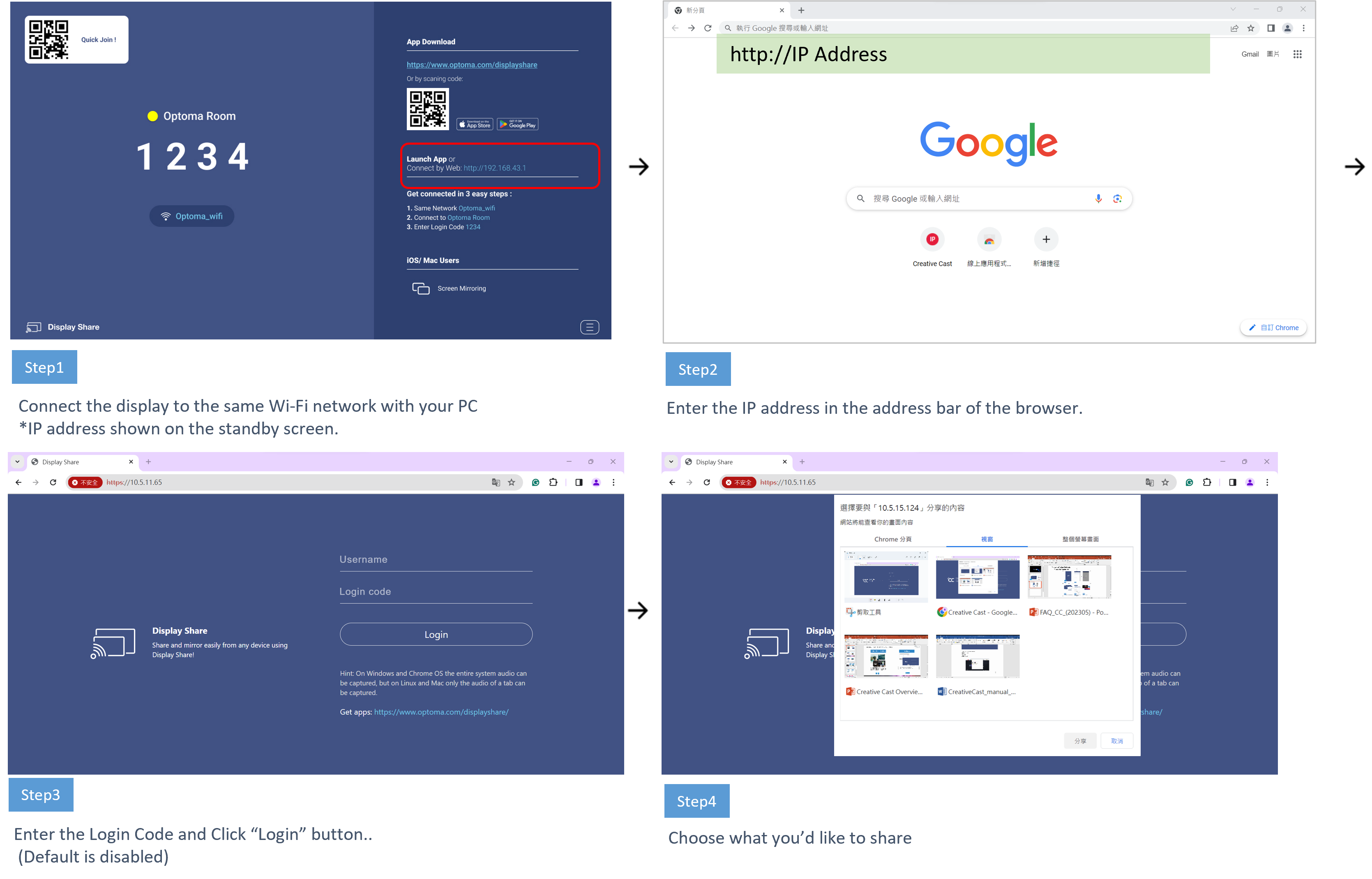
- Connect the display to the same Wi-Fi network with your PC.
- Open the Chrome browser on your computer, and enter the IP address in the address bar of the browser. (* IP address shown on the standby screen.)
- Enter the Login Code if it’s shown on the standby screen and Click “Login” button.
- Choose what you’d like to share.
(a) Entire Screen
(b) Window
(c) Chrome Tab
這篇文章有幫助嗎?
如果你覺得這篇文章有幫助,請讓我們知道。