
Photo & Document Sharing
The Display Share mobile app allows you to share photos or PDF documents from your mobile device to the projector.
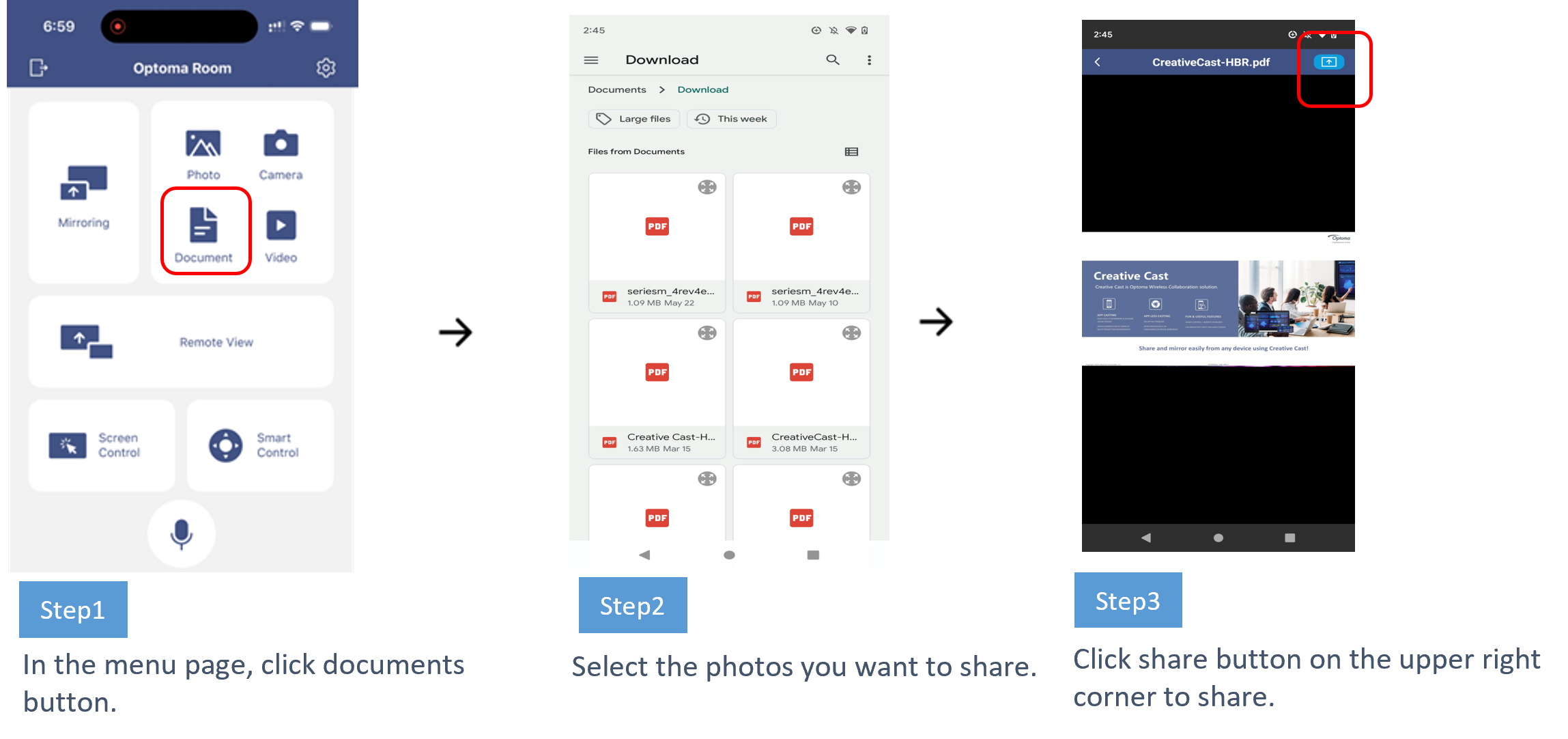
On the menu page, tap the Photos/Documents button. Choose the photos/documents you wish to display and tap the share button in the upper-right corner to begin sharing.
In the menu page, click Photos/Documents button. Select the photos/documents you want to share. Click share button on the upper-right corner to share
- Photo Sharing

- Document Sharing
- Camera Sharing
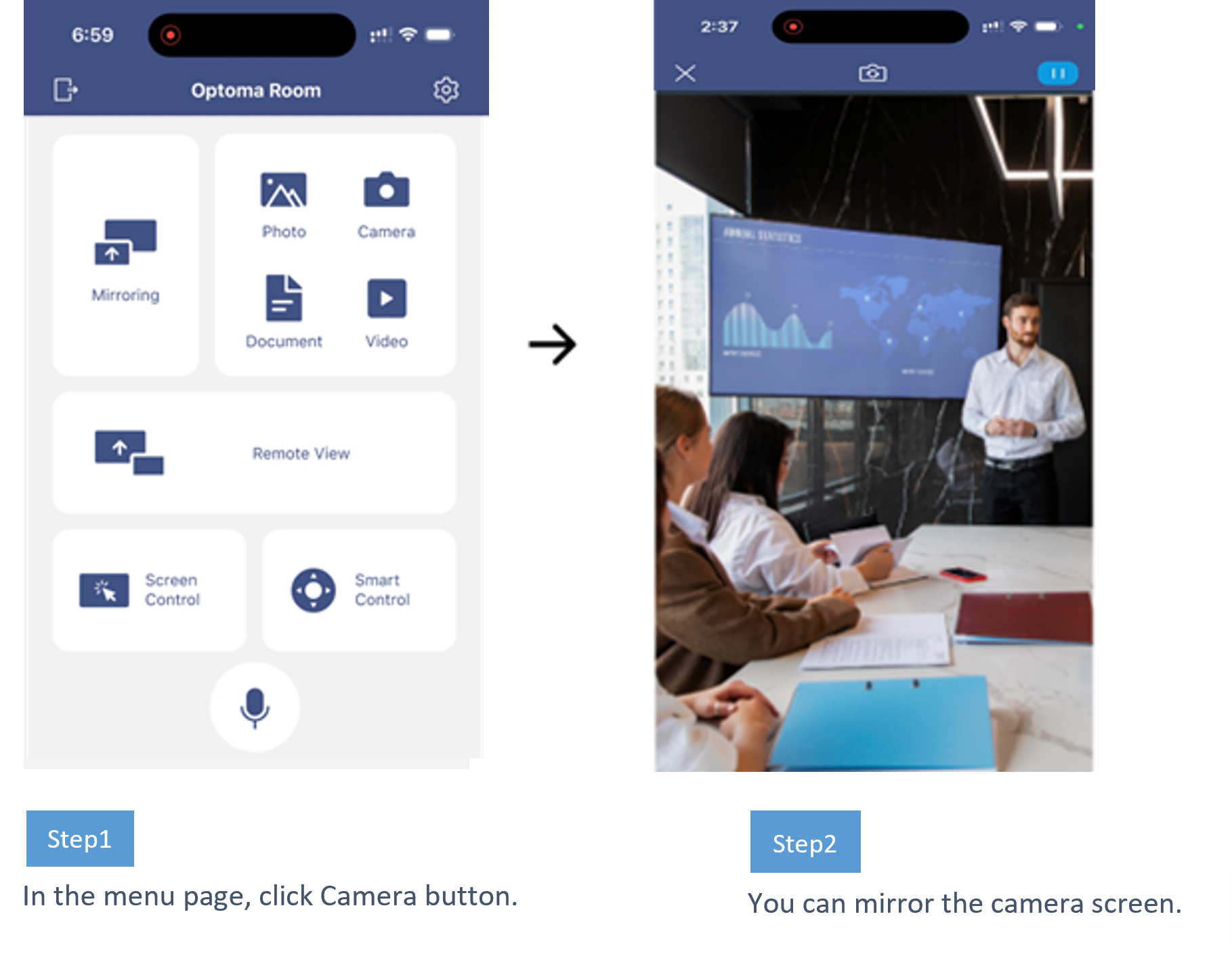
In Display Share mobile app, you can mirror the camera screen.
In the menu page, click Camera button to start.
- Video Streaming
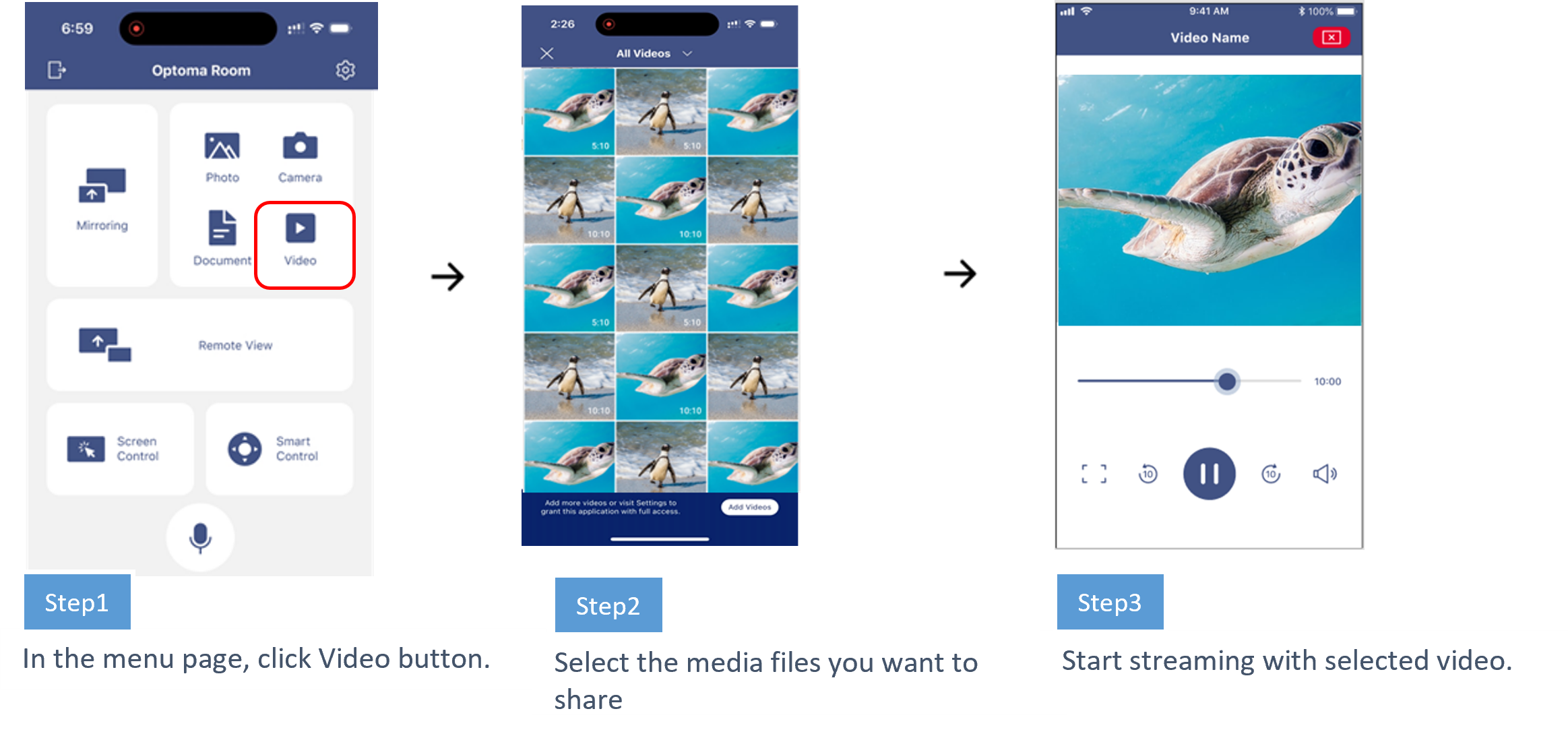
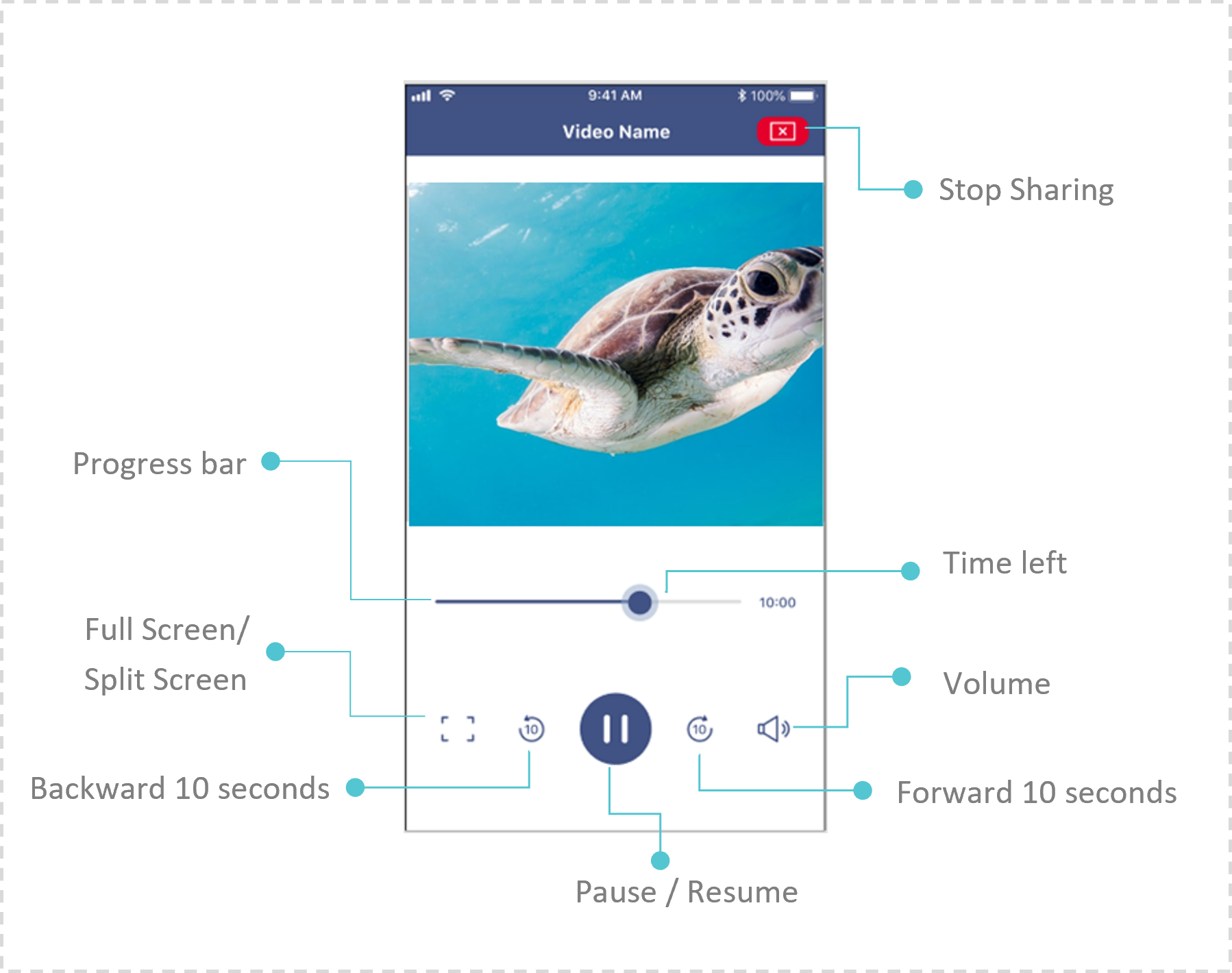
User can stream local video file to display device.
這篇文章有幫助嗎?
如果你覺得這篇文章有幫助,請讓我們知道。